TagSpaces Pro Web
Everything from TagSpaces Pro running in your browser.
Start with TagSpaces Pro Webself-hosted on your NAS or in the Cloud
TagSpaces as a Web Application
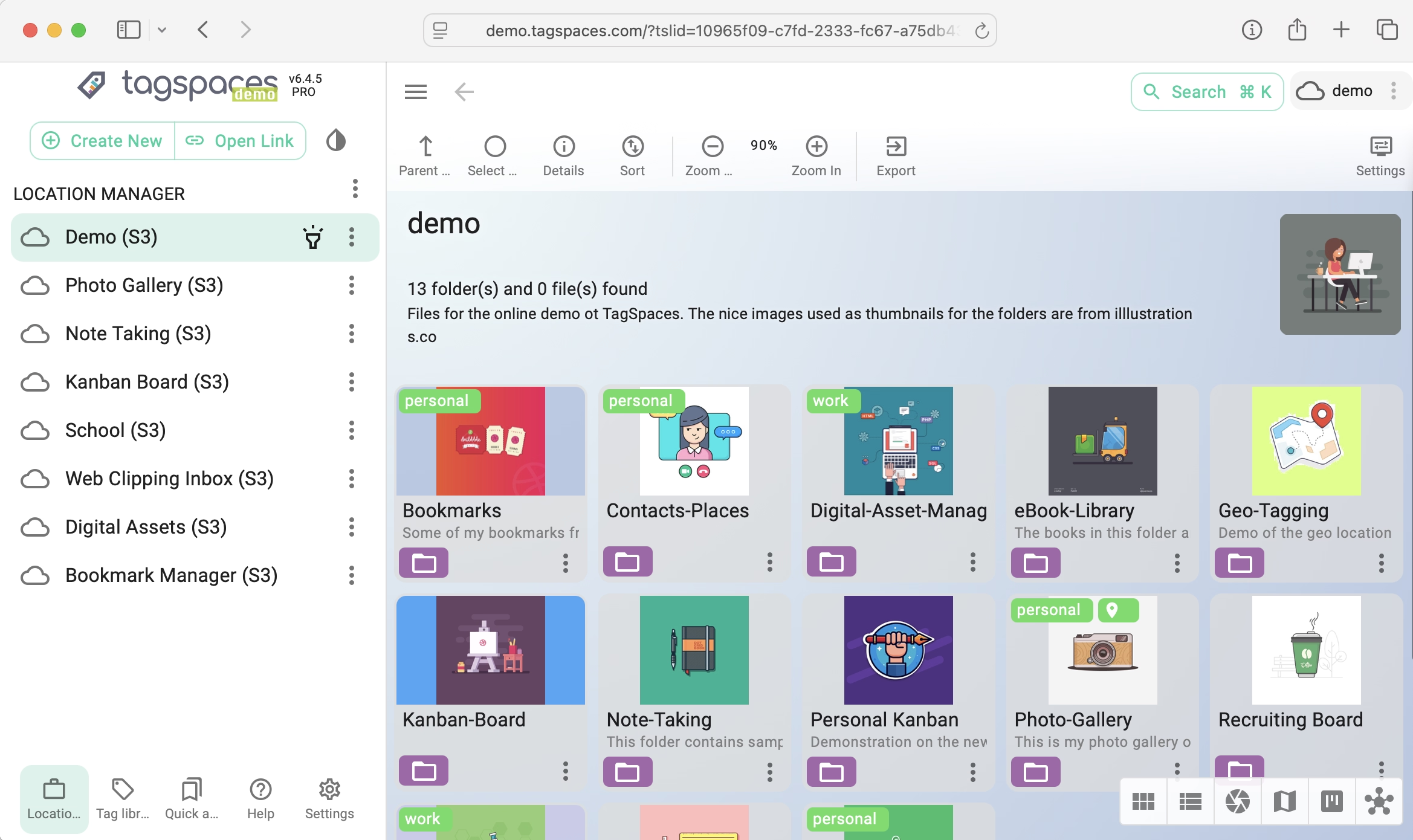
With the web interface of the Pro Web edition, you can easily access your digital notes, photos, music, videos, and other documents on computers, tablets, or mobile phones within your local network.
If your private network is accessible via a VPN, you can access your files from anywhere on the Internet.
Easy to Deploy and Maintain
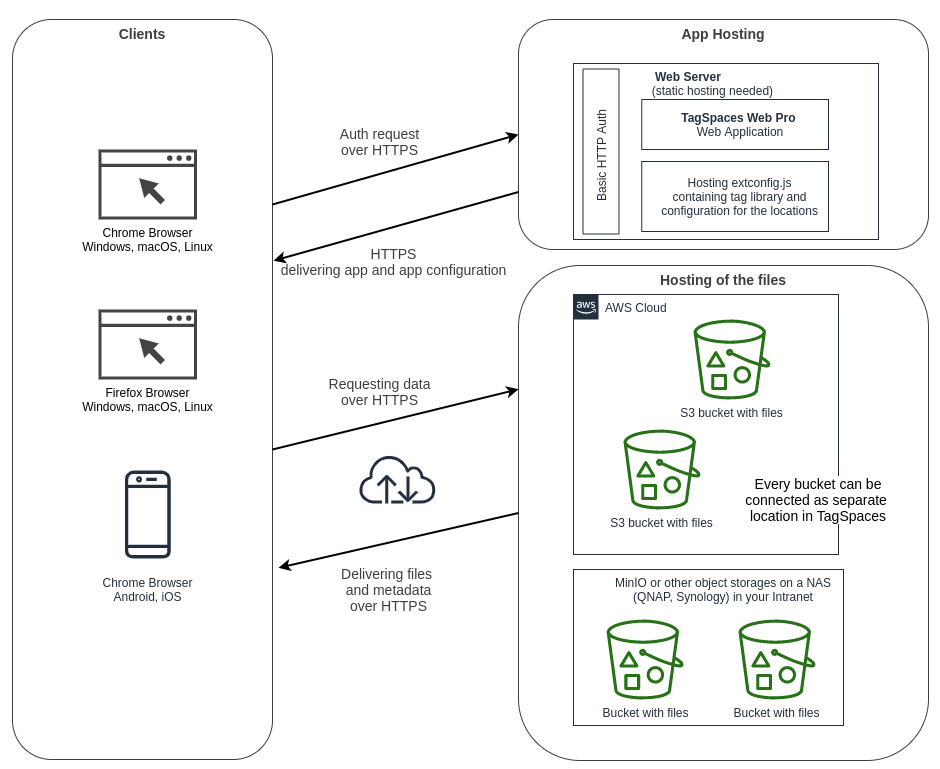
The web app requires just a static web hosting, which can be provided by any modern web server running on a PC, Docker, or NAS (Network Access Storage, such as from Synology or QNAP).
For hosting your files, you will need S3-compatible object storage, which can be in the cloud, such as on AWS, or a MinIO server running on your NAS or another server in your private network.
Deploying the web app on a web server will make it accessible to everyone on your network. To restrict access, you can set up basic authentication in front of the folder hosting the app. Even without this authentication, users will still need credentials to access files in the object storage.
Custom Configuration
- Custom location lists
- Custom tag libraries containing specific tag groups and tags
- Predefined user interface themes
- Predefined default perspectives
- Custom lists of map tile servers

S3Proxy — Self-Hosted Object Storage
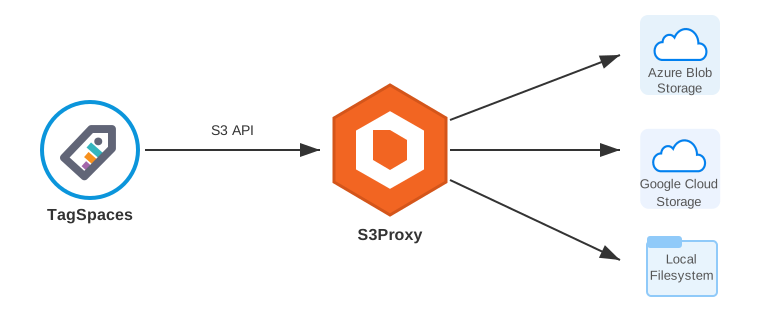
S3Proxy exposes a local file system, HDFS, or other storage backend as an S3-compatible API over HTTPS. Point it at a folder on your NAS or server, configure access and secret keys, and any S3 client — including TagSpaces — can connect to it as if it were AWS S3.
Combined with TagSpaces Pro Web, this gives you a fully self-hosted file management solution: tag, preview, and edit files from your storage directly in the browser without downloading them. No cloud provider required.
S3Proxy is an open-source project available under the Apache 2.0 license — free to use, modify, and deploy without restrictions.
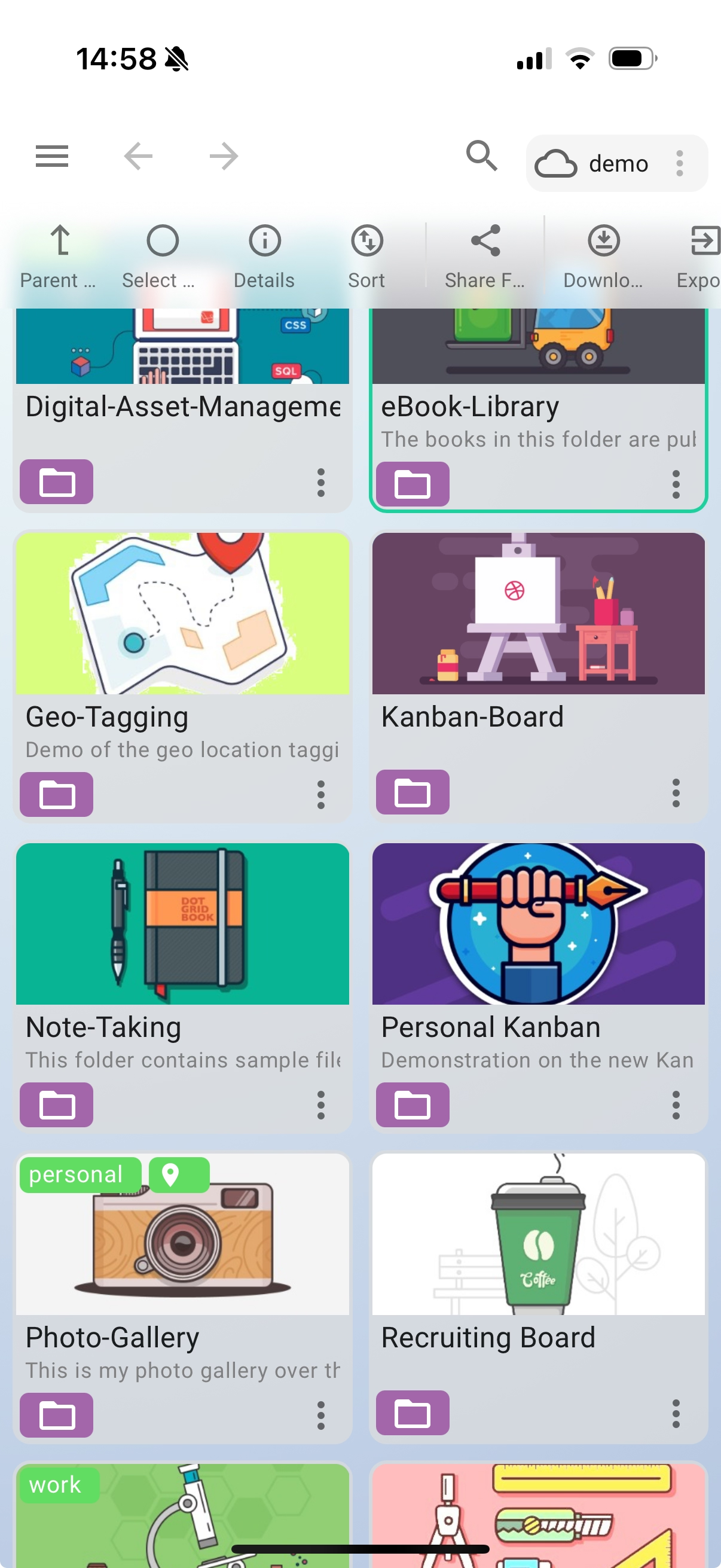
Demo of the application's mobile mode