Offline Kanban Boards Built Around Your Files – in TagSpaces Pro
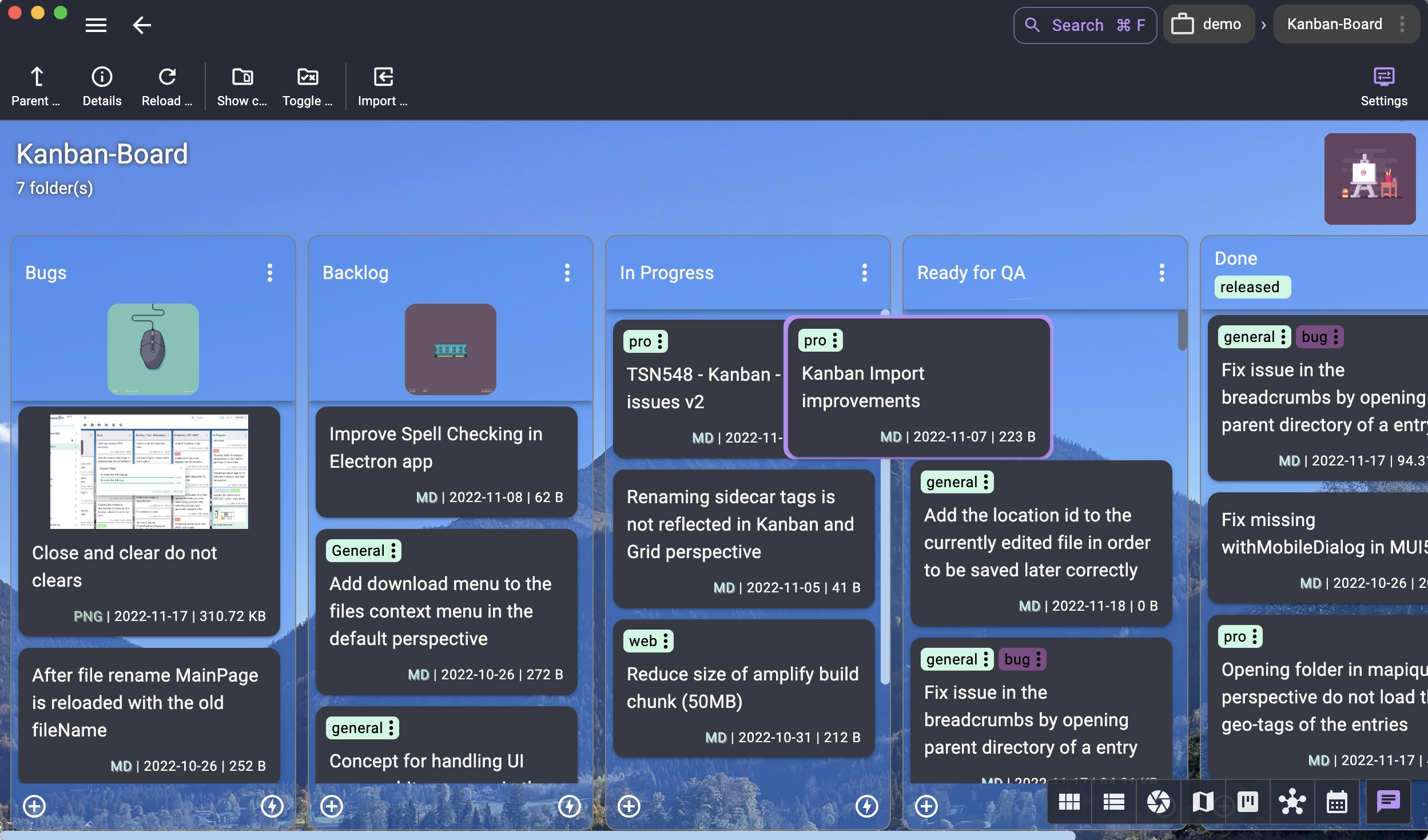
In TagSpaces Pro, the Kanban perspective lets you convert any folder structure into a powerful, offline Kanban board. Subfolders become columns, and the files inside them act as draggable, editable cards. This intuitive approach allows you to build custom workflows without relying on complex online platforms. Because your boards live entirely on your device, they're always accessible—even without internet access. And since tasks are stored as standard files, you're never locked into a proprietary system.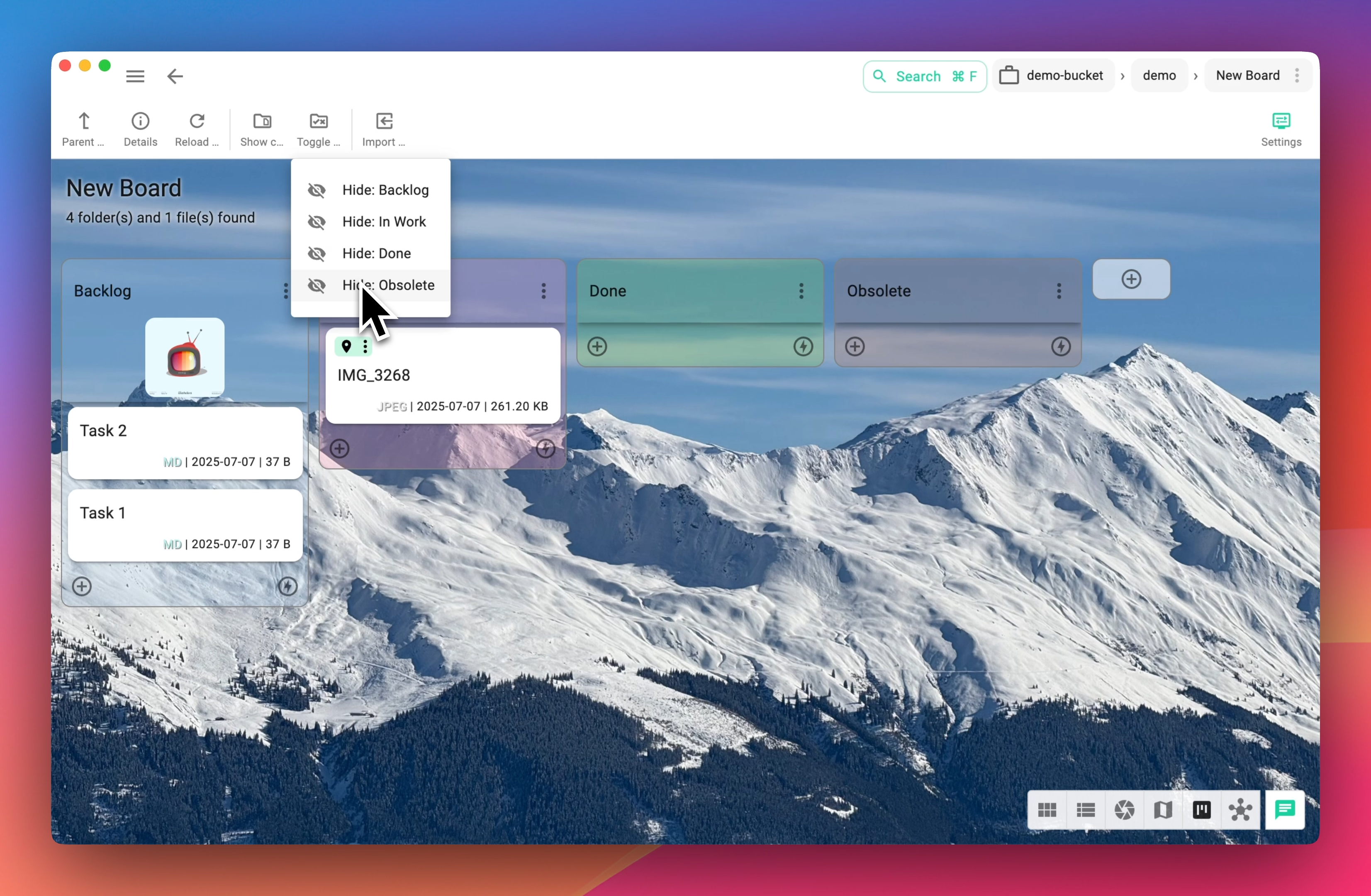
- Local-first, offline-first — everything in TagSpaces is designed to work without an internet connection.
- Your boards are always accessible, even without cloud services
- Fully local - no vendor lock-in, no tracking, full privacy
- Easy Backup - Back up and share boards just like regular folders
"I've tried Trello, Jira, and half a dozen other tools. TagSpaces is the only one where I don't have to worry about my project data being in someone else's cloud. My Kanban board is just a folder — I back it up with everything else."
— Power user, TagSpaces community forum
Why Choose an Offline Kanban Board?
Cloud Kanban tools assume you're always online, always subscribed, and always comfortable storing your tasks on someone else's server. For many users, none of those assumptions hold.
Scenario 1 — The traveling consultant A management consultant uses TagSpaces' Kanban board to track deliverables across four active client engagements. On flights, in client offices with restricted Wi-Fi, and in hotel rooms with unreliable connections, her board works exactly as it does at her desk. No "offline mode" toggle, no sync conflicts when she reconnects — because nothing ever needed to sync.
Scenario 2 — The developer in a secure environment
A software engineer working on a government contract operates in a network-restricted environment. No external cloud services are permitted. His sprint board lives in a folder on his workstation: subfolders for backlog, in-progress, review, and done. Files are the tasks. Nothing leaves the building.
Scenario 3 — The freelancer protecting client confidentiality A UX designer organizes client deliverables — wireframes, feedback documents, contracts — on a Kanban board stored on an encrypted local drive. The files never touch a third-party server. Sharing with a client means zipping a folder, not granting access to a SaaS account.
TagSpaces Kanban vs. Trello vs. Notion for Offline Use
| TagSpaces Pro | Trello | Notion | |
|---|---|---|---|
| Works fully offline | ✅ Yes | ❌ No | ⚠️ Limited |
| No account required | ✅ Yes | ❌ Required | ❌ Required |
| Data stays on your device | ✅ Yes | ❌ Cloud only | ❌ Cloud only |
| One-time payment option | ✅ Yes | ❌ Subscription | ❌ Subscription |
| Cards are real files (MD, PDF, images, etc.) | ✅ Yes | ❌ No | ❌ No |
| Self-hosted option | ✅ Yes | ❌ No | ❌ No |
| Import from Trello | ✅ Yes | — | ⚠️ Partial |
Trello requires an internet connection for all writes and offers no local storage option. Notion added limited offline reading in 2023, but edits still require sync and an active account. TagSpaces stores everything as plain files — no server, no account, no subscription required to access your own data.
Offline Kanban Boards for Personal, Team, and Business Use
- Personal Productivity - Stay organized with Kanban boards tailored for daily tasks, goal tracking, or household management.
- Software Development - Manage agile workflows with customizable columns like "To Do," "In Progress," and "Done,"
- Project Management - Visualize project phases, track status, and manage dependencies across teams without cloud reliance or vendor lock-in.
- Human Resources - Streamline recruitment, onboarding, and employee tasks with secure, shareable boards stored on your network.
- Content Creation - Plan and manage editorial calendars, track revisions, and collaborate across creative teams using file-based task cards.
- Education and Research - Organize assignments, research materials, or lesson plans with visual workflows
Top Features of TagSpaces' Offline Kanban Board
- Intuitive Drag-and-Drop - Move task cards between columns effortlessly to reflect progress.
- Rich File Cards - Enhance cards with tags, thumbnails, and custom descriptions for quick context.
- Markdown Support - Use markdown - add checklists, notes, and embedded images directly in your cards.
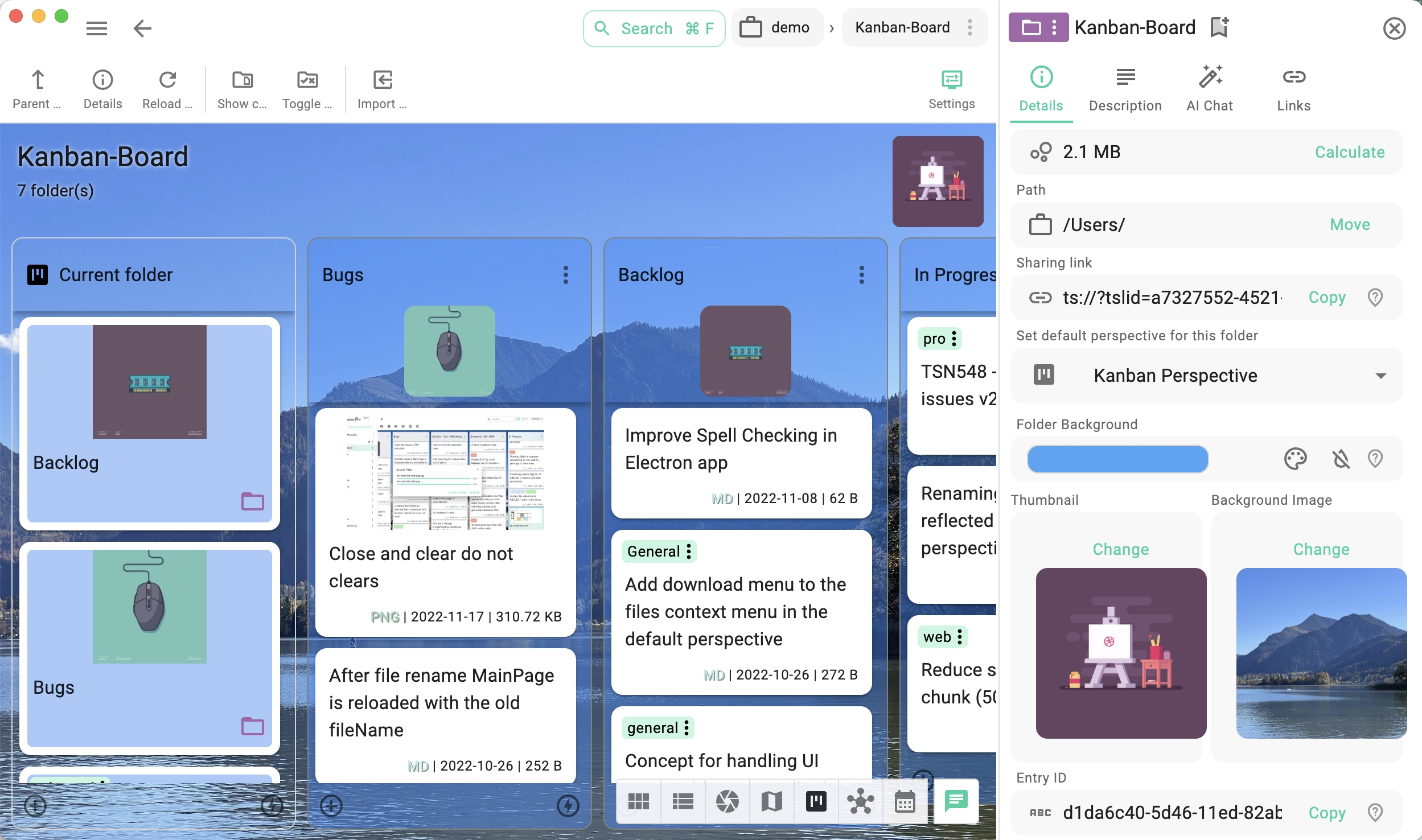
- Customizable Visuals - Personalize your boards with background colors and wallpapers that suit your style or workflow.
- Flexible File Handling - Add, move, or organize any file type — images, PDFs, bookmarks, or screenshots — directly on the board.
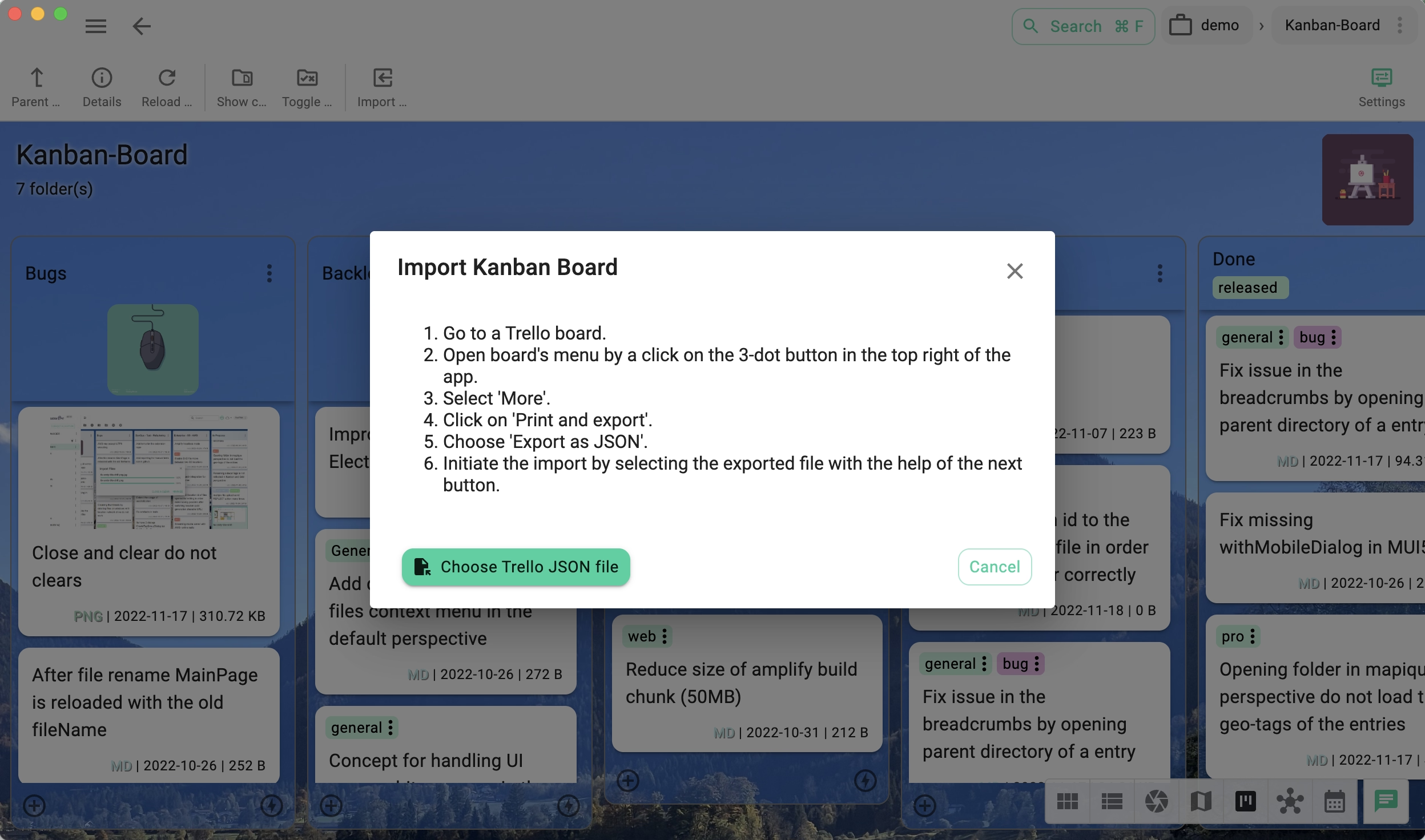
- Easy migration from Trello - Import boards exported from Trello