
Syncing tagged files between devices with Dropbox

· 2 min read
Ilian Sapundshiev
TagSpaces Core Team

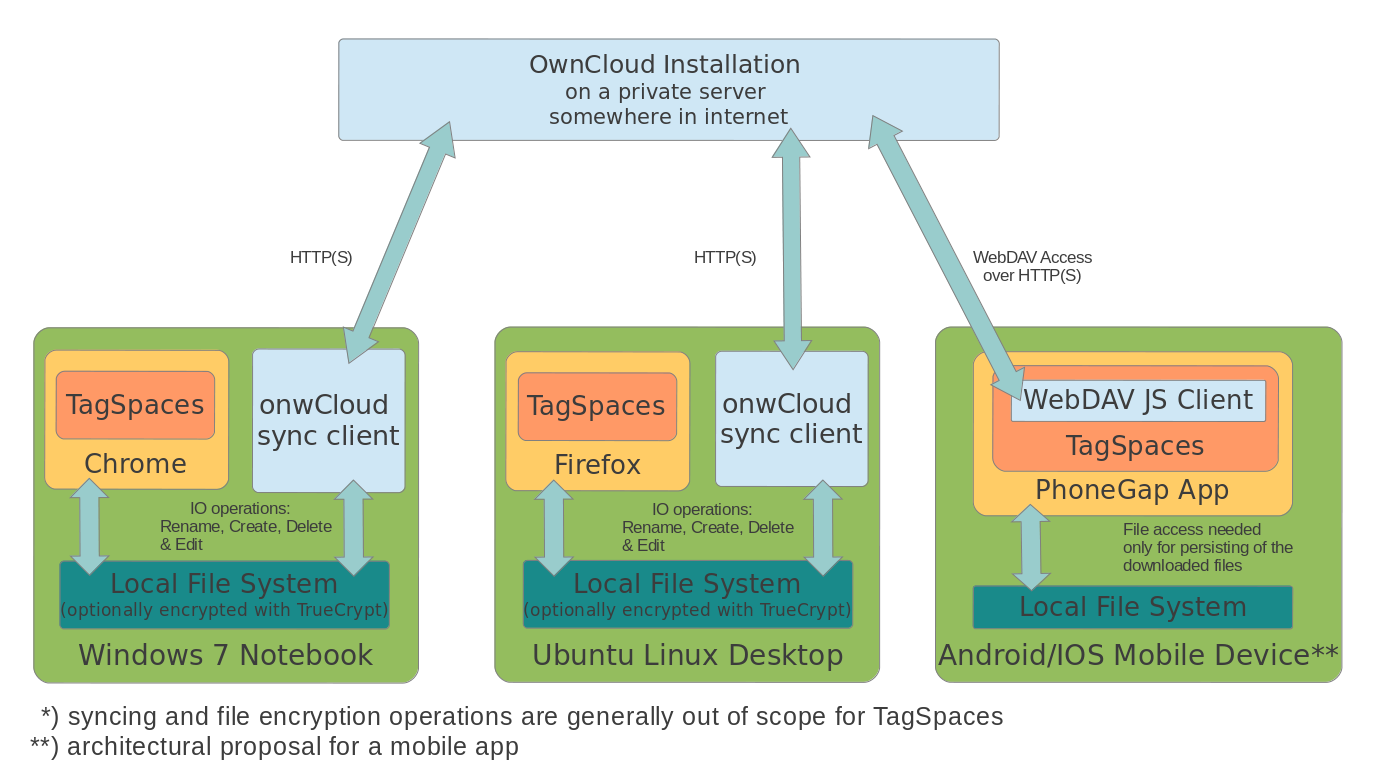
One of the most common questions I receive about TagSpaces, is about the missing files synchronization feature. The concerns of the users are that they spend an hour tagging their files on the laptop, but now they want to get the same results also on their tablet or desktop computer and vice versa. Ok, my opinion here is that TagSpaces does not need sync functionality, because all the tags are saved in the names of the files, which does this meta-information extremely portable between devices. This is one of the main differences between TagSpaces and other applications offering tagging on files. Most of those applications are using some kind of database to store the tags, which does the transfer of this information challenging. Besides that, your tagging information in this case is locked by the vendor and you cannot migrate to another application or service without significant effort. Saving the tags in the file names make the information stick to your files, and you can find files based on the tags even with simple search functionality supplied with your operating system.
Second beta-release of TagSpaces 1.7

· One min read
Ilian Sapundshiev
TagSpaces Core Team

A pre-release of the upcoming 1.7 Version of TagSpaces was accomplished today. New in this version, beside the complete redesign of the user interface and the many improvements, are the native packages for Linux, Windows, Mac OS and Android. Feel free to download this release for testing purposes from the following links to GitHub:

Saving webpages as mhtml(mht) in Chrome

· One min read
Ilian Sapundshiev
TagSpaces Core Team

TagSpaces is a great tool for MHTML file organization on many platforms, because it features an integrated MHTML viewer, but the question here is how you can save web pages as handy MHTML files directly out of the Chrome browser. Here you will find the answer of this question for the both browsers - Chrome and Chromium respectively. Please note that after this activation you will not be able to save website in HTML anymore.

TagSpaces as Evernote alternative

· 5 min read
Ilian Sapundshiev
TagSpaces Core Team

TagSpaces is an application for managing and organizing of files. In this article I will explain how TagSpaces can be used for achieving some typical Evernote use cases such as:

  • Saving web pages and other digital artifacts
  • Creating and editing notes
  • Organizing documents with tags in collections
  • Distributing the collected artifacts across different devices such as smart phones and tablets